 Image 1 of 3
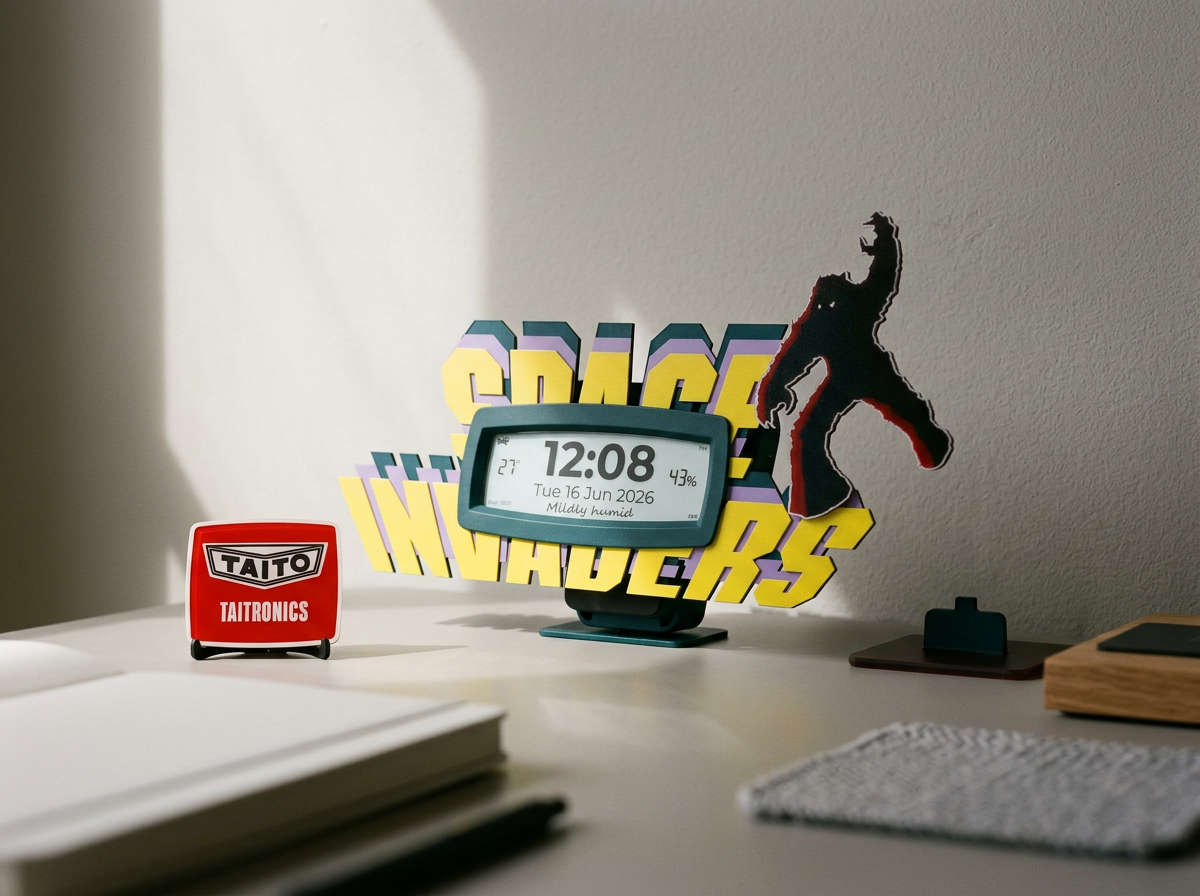 Image 2 of 3
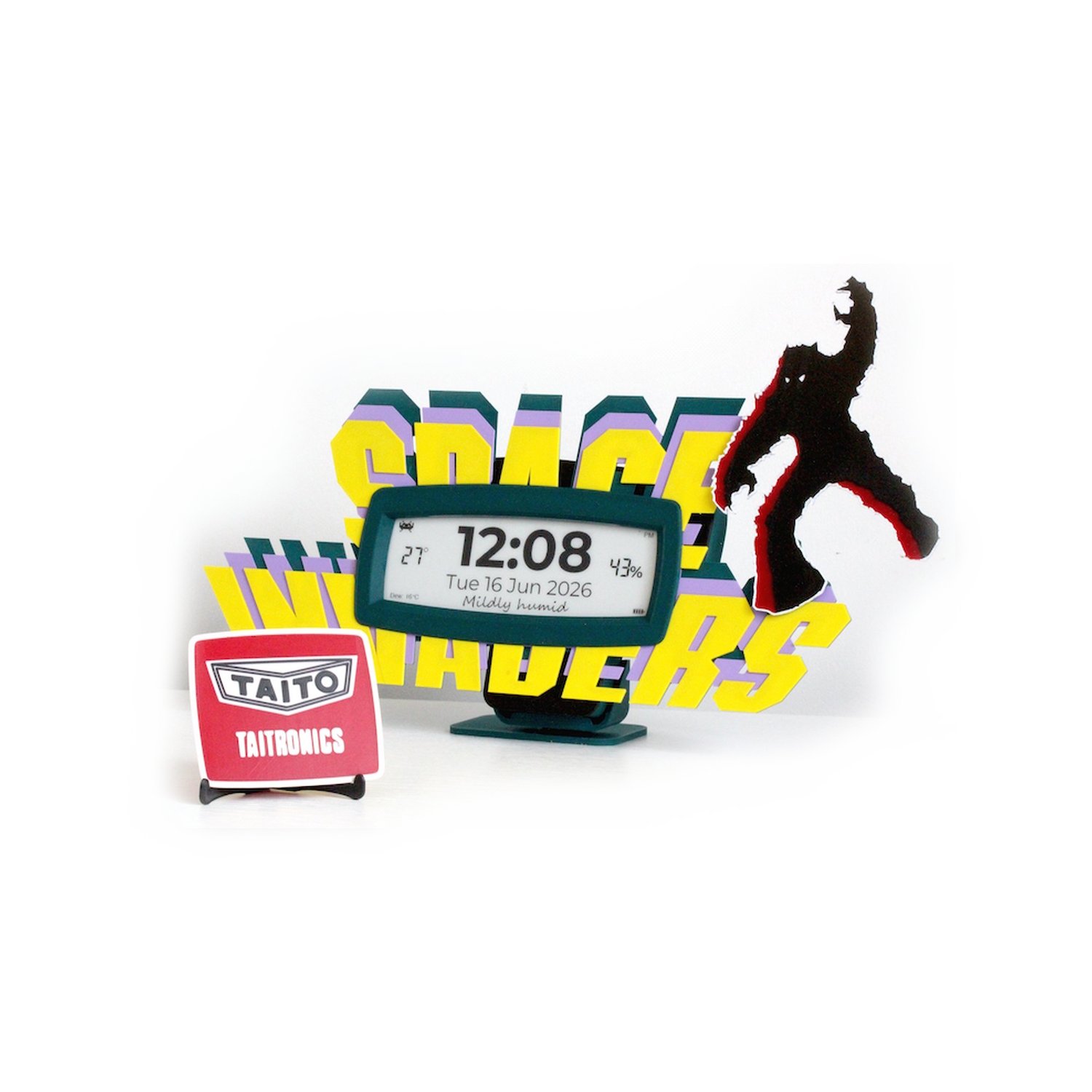 Image 3 of 3
All prices shown are ex VAT and the product carries a 1-year warranty.
PRE-ORDER — Ships in 1 week
This is the one for people who know. A hand-built, DCF77 radio-controlled ePaper clock with a Space Invaders faceplate faithful to the original 1978 Taito cabinet. Alien formation on teal bezel, three-layer filament-swap construction. In the top left corner, a Space Invaders sprite tells you whether it's BST or GMT. Included with every clock is a hand-finished Space Invader and a TAITO badge with easel — display them together or separately. At 36.5 cm wide and 23 cm tall this is a proper statement piece.
Radio signal note: This clock automatically synchronises to the European DCF77 radio time signal (mainly received across Europe). Outside of DCF77 coverage the clock still keeps accurate time, and can be set manually with the button or from any phone's web browser (no app needed). Check DCF77 coverage for your area by clicking here.
It keeps perfect time without home Wi-Fi, Bluetooth, or an app. Unbox it, stand it up — it's already set and syncs automatically to the DCF77 atomic time signal once a week to stay accurate.
No app. No Bluetooth. No setup. Just big digits — and aliens.
What Bigtime displays:
Time — large 12 hour display, AM/PM indicator
Date — day, date and month
Indoor temperature — °C
Indoor humidity — %
Dew point — °C
Comfort label — Dry & crisp, Comfortable, Pleasant, Humid and more
BST/GMT indicator — Space Invader switches automatically
Battery level — 4 bar indicator
What Bigtime does:
Synchronises to the DCF77 atomic radio time signal — accurate to the second
Automatic BST/GMT switching — never needs adjusting
Syncs automatically every Sunday in the early hours — always correct
Phone time sync — no app, just your phone's web browser, if radio reception is poor
ePaper display — crisp and clear in any light, zero power between updates
Push button — single tap illuminates the night LED strip
Battery powered — runs for months on a single charge
USB-C charging — standard cable, not included
Mounting options:
Desktop stand — sits on any flat surface
Magnetic mount — there's a magnetic strip on the back of the clock. Stick the two included metal discs to any smooth surface, and the clock clicks on and lifts off in seconds.
No drilling needed for either option
What's in the box:
Bigtime Space Invaders Edition clock unit
Desktop stand
2 x metal adhesive discs for magnetic wall mounting
Hand-finished Space Invader
TAITO badge with easel
Quick Start Guide
USB-C cable not included — standard 5V USB-C
Technical:
Display: 5.79 inch ePaper, 792 x 272 pixels, black and white
Time signal: DCF77 77.5kHz radio
Sync schedule: Sunday 2:10am weekly, 3:10am fallback
Sensor: SHT40 temperature and humidity
Battery: LiPo, USB-C charging
Hand-built and tested in the UK by Digconn Systems
Check DCF77 coverage for your area click here
Quick Start Guide — download the PDF here
All prices shown are ex VAT and the product carries a 1-year warranty.
PRE-ORDER — Ships in 1 week
This is the one for people who know. A hand-built, DCF77 radio-controlled ePaper clock with a Space Invaders faceplate faithful to the original 1978 Taito cabinet. Alien formation on teal bezel, three-layer filament-swap construction. In the top left corner, a Space Invaders sprite tells you whether it's BST or GMT. Included with every clock is a hand-finished Space Invader and a TAITO badge with easel — display them together or separately. At 36.5 cm wide and 23 cm tall this is a proper statement piece.
Radio signal note: This clock automatically synchronises to the European DCF77 radio time signal (mainly received across Europe). Outside of DCF77 coverage the clock still keeps accurate time, and can be set manually with the button or from any phone's web browser (no app needed). Check DCF77 coverage for your area by clicking here.
It keeps perfect time without home Wi-Fi, Bluetooth, or an app. Unbox it, stand it up — it's already set and syncs automatically to the DCF77 atomic time signal once a week to stay accurate.
No app. No Bluetooth. No setup. Just big digits — and aliens.
What Bigtime displays:
Time — large 12 hour display, AM/PM indicator
Date — day, date and month
Indoor temperature — °C
Indoor humidity — %
Dew point — °C
Comfort label — Dry & crisp, Comfortable, Pleasant, Humid and more
BST/GMT indicator — Space Invader switches automatically
Battery level — 4 bar indicator
What Bigtime does:
Synchronises to the DCF77 atomic radio time signal — accurate to the second
Automatic BST/GMT switching — never needs adjusting
Syncs automatically every Sunday in the early hours — always correct
Phone time sync — no app, just your phone's web browser, if radio reception is poor
ePaper display — crisp and clear in any light, zero power between updates
Push button — single tap illuminates the night LED strip
Battery powered — runs for months on a single charge
USB-C charging — standard cable, not included
Mounting options:
Desktop stand — sits on any flat surface
Magnetic mount — there's a magnetic strip on the back of the clock. Stick the two included metal discs to any smooth surface, and the clock clicks on and lifts off in seconds.
No drilling needed for either option
What's in the box:
Bigtime Space Invaders Edition clock unit
Desktop stand
2 x metal adhesive discs for magnetic wall mounting
Hand-finished Space Invader
TAITO badge with easel
Quick Start Guide
USB-C cable not included — standard 5V USB-C
Technical:
Display: 5.79 inch ePaper, 792 x 272 pixels, black and white
Time signal: DCF77 77.5kHz radio
Sync schedule: Sunday 2:10am weekly, 3:10am fallback
Sensor: SHT40 temperature and humidity
Battery: LiPo, USB-C charging
Hand-built and tested in the UK by Digconn Systems
Check DCF77 coverage for your area click here
Quick Start Guide — download the PDF here